How I Record Mapillary Imagery in Ethiopia with a BYD B2 (no additional equipment needed)

OpenStreetMap is one of the most valuable community projects on the internet. It is a free and open map of the world, built by people who care enough to add roads, places, and local knowledge that might otherwise remain missing. In many parts of Ethiopia, and also in many other countries, mapping work still has a huge impact. Every contribution helps make the map more useful for residents, visitors, researchers, humanitarian work, and local businesses.

One very practical way to support OpenStreetMap is by contributing street-level imagery through Mapillary. Mapillary allows people to capture photos from the road and upload them so that mappers can use them to improve the map. This is especially helpful for checking street names, road conditions, intersections, traffic signs, business names, and other details that are difficult to map accurately from satellite imagery alone. Because this kind of imagery can support the wider mapping community, it is a powerful way to help others contribute better data to OpenStreetMap.

I found that recording Mapillary imagery in Ethiopia is surprisingly easy with the BYD B2, and I believe the same approach may also work in other parts of the world. It will probably also work on other BYD models, as long as they have a built-in Android-based infotainment system and a dashcam that the Mapillary app can access.

What makes the BYD B2 especially convenient is its built-in Android system. Instead of relying only on a phone, you can install the Mapillary app directly on the car dashboard. To do that, open the Aptoide app store in the car, search for the Mapillary app, and install it. If you do not already have a Mapillary account, you will need to create one first on Mapillary.com. After that, you can start the app directly from the car’s screen, and in our test setup it connected to the dashcam without much difficulty.

There is one important issue that people should know about from the beginning: recording does not work in portrait mode. If the app opens in portrait mode, you will not be able to record properly. You always have to change the screen orientation back to landscape mode before starting a recording. In our experience, this is necessary every time the app starts in portrait mode. Only landscape mode works correctly for recording.

If your car does not have its own SIM card or mobile data connection, it is also a good idea to connect the infotainment system to your phone’s Wi-Fi hotspot. That can help with connectivity, GPS-related behavior, and especially with uploading your imagery afterward.

Once you finish recording, you can upload the imagery directly from the car to Mapillary. The files are stored on the internal Android system. On the BYD B2 we tested, the infotainment system had 64 GB of storage, which is enough for several days of recording before storage becomes a problem, especially if you upload regularly.
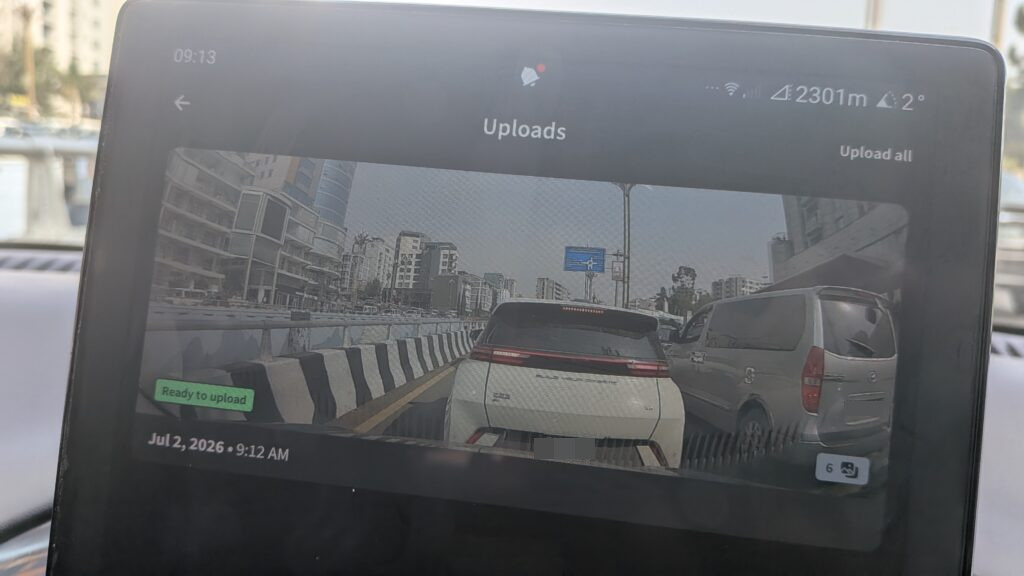
The quality of the dashcam is quite usable for mapillary, check it out.

For me, this makes the BYD B2 a very practical tool for community mapping. This setup lowers the barrier to collecting street-level imagery and makes it easier to contribute while simply driving around. That is useful not only in Ethiopia, but potentially anywhere this kind of BYD setup is available. If other BYD cars use a similar Android system and dashcam integration, there is a good chance they can be used in the same way.If you try this yourself and run into any issues, feel free to contact me under this blog article. I will be happy to help. And to everyone contributing imagery and improving the map for others: happy mapping, and happy contributing to Mapillary.


Get rewarded for map improvements

You can get small donations in Bitcoin for your improvements to the Open Street Map of Ethiopia (and other places). Here we will show step by step, how you can improve the map and get some long-term cash.

Overview

OpenStreetMap (OSM) is a free map of the world. It is build of volunteers and can be used to build various helpful services for the community. We want to encourage you to to contribute your local knowledge to the map. It’s fun – and you can gain even some small money. The OSM BTC Fund is distributing bitcoins (in December 2021 it was ~0.021 BTC which was equal to around 51,000 ETB in total for registered OSM contributors. The contributors are ranked and depending on how much edits each individual does, they get a small donation. In December 2021 this was between 6 ETB for few edits and 134 ETB for top contributors. It is not much, but the bitcoin might rise in value, and it’s some nice appreciation.

Steps

  1. Register with OpenStreetMap, learn how to do valuable contributions
  2. Create a Bitcoin wallet
  3. Register at osmbtc.org

Register with OpenStreetMap

First register you OpenStreetMap account at https://www.openstreetmap.org/user/new – remember your username. If you already have an OpenStreetMap account, you can skip this step.

StreetComplete is a easy way to contribute

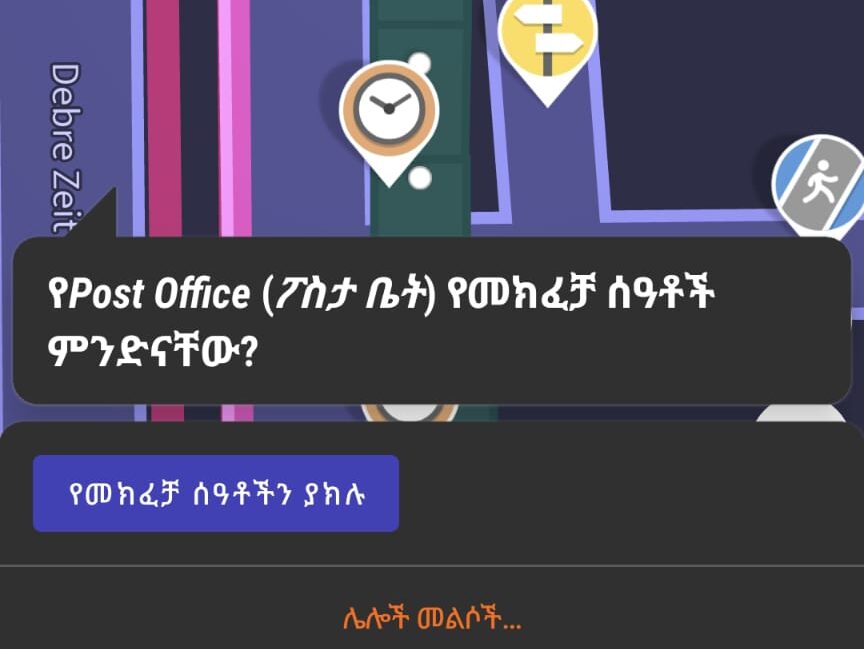
There are many editors to contribute to OpenStreetMap. A easy, efficient and very fun way to edit information about house numbers, opening times and other is the app StreetComplete which you can install on your smartphone.

Install StreetComplete:

Covergestaltung

In the settings you can switch StreetComplete to Amharic, then it would look like this:

The app will present you quests in the form of questions, which you can answer as accurately as possible and directly improve the map.

Trace Buildings

Another good way to contribute, especially if you are currently not in Ethiopia, is to trace buildings or streets from the satellite pictures, for example using the JOSM editor or iD in the browser on osm.org. This works only well, if you are on a computer and not on a smart phone.

Create a Bitcoin-Wallet

While there are many ways to get a bitcoin wallet, an easy and very secure one is to use the one is to use the unstoppable wallet app.

Covergestaltung
Get it on F-Droid

Get your self familiar with the app.

  1. Go to Settings -> manage wallets -> create wallet
  2. Show the phrase of the wallet and create a backup by writing down the 12 words (keep those in a very secure place, they give full access to the crypto currency you collected)
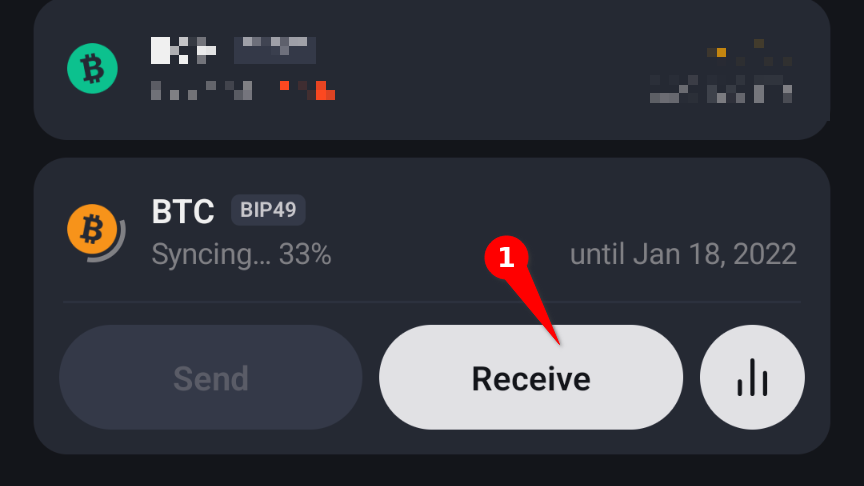
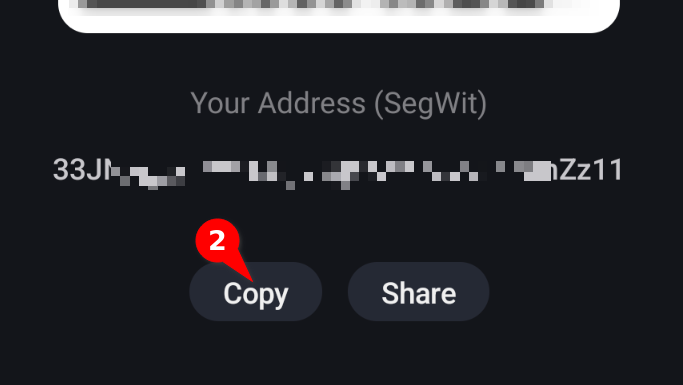
  3. On the main screen under “BTC” click receive and write down copy your BTC address

Register at OSMBTC to receive Bitcoin for your OSM Contributions

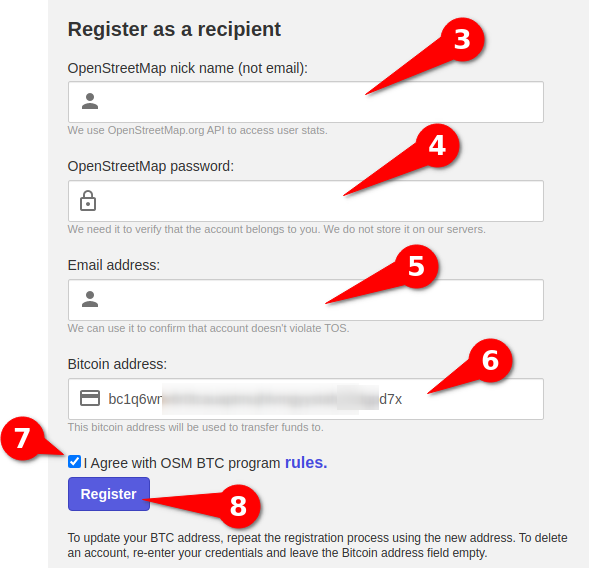
Now go to https://osmbtc.org/ and fill the “Register as a recipient” form.

You have to login with your OpenStreetMap data at (3) + (4), provide your mail address, and important, copy your bitcoin address from step (2) to the field (6).

Hit register and you are done. Each month you can check the payout statistics at osmbtc.org

Happy editing!

If you like our guide or have questions, leave a comment.

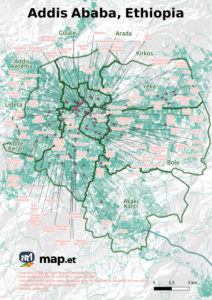
Free High-Resolution Map of Addis Ababa

We are happy to provide you with current printable map of Addis Ababa, the capital city of Ethiopia in East Africa.

It shows the 10 sub cities and well-known areas.

Addis Ababa was devided in 10 subcities: Addis Ketema, Akaki Kaliti, Arada, Bole, Gulale, Kirkos, Kolfe Keran, Lideta, Nefas Silk, Yeka.

There is a new subcity “Lemi Kura” which is not yet included in this map and will be included later.

Continue reading Free High-Resolution Map of Addis Ababa